First time on Type.dog: up and running in 3 minutes
Type.dog (type.dog) is a non-profit language learning platform for language lovers and learners worldwide. You can learn English, Japanese, Korean, German, French, Italian and Spanish. Open the site, click “Try it without signing up” and start practicing right away; sign up later if you want to keep your progress. The whole thing takes less than 3 minutes.
- Open type.dog: Any browser, computer or phone
- Try it without signing up: or sign up / log in
- Pick a language: 7 to choose from
- Check today’s study: Set a small goal
- Start today’s practice: We pick for you
Step 1: open the site and click “Try it without signing up”
Type type.dog into your browser’s address bar. There is no app to download: browsers on computers, tablets and phones all work.
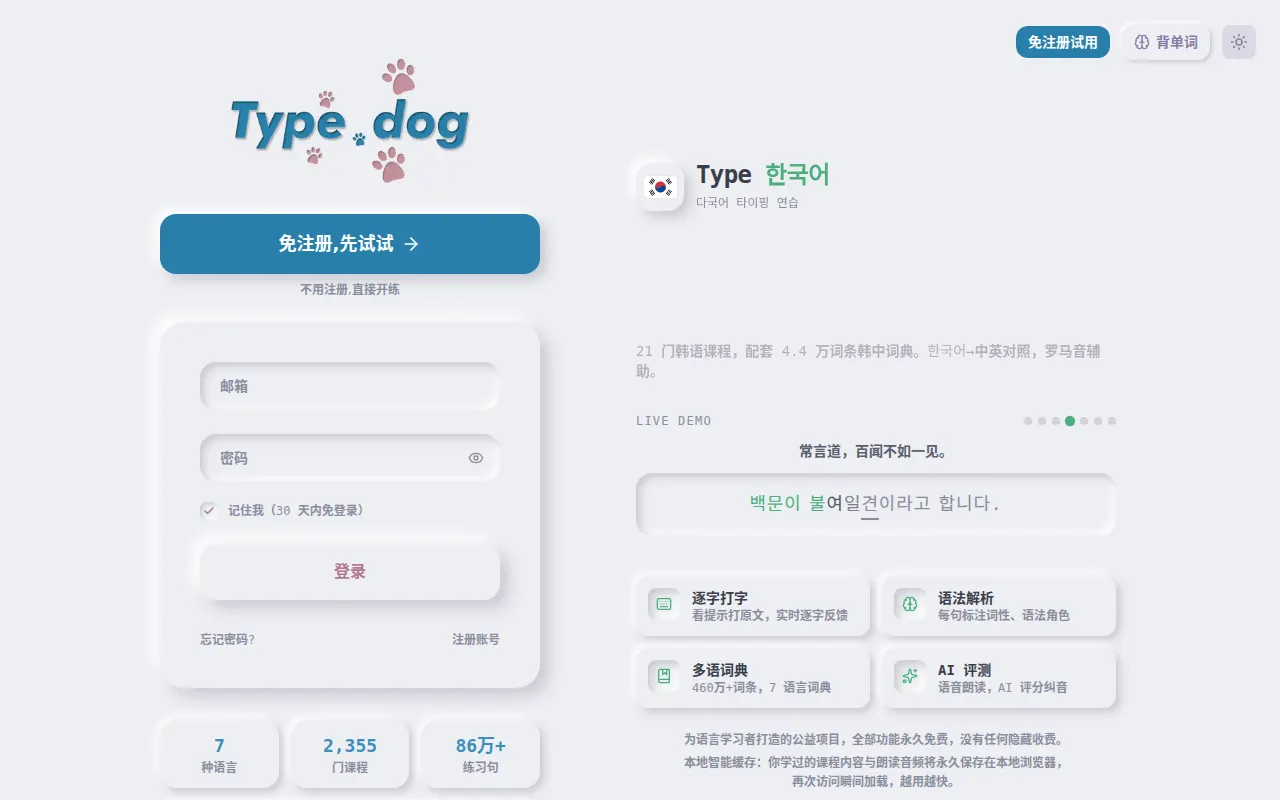
At the top of the sign-in page there is a full-width button, “Try it without signing up”. One click and you are in: no email, no password. During the trial every feature works exactly as it does after signing up. The only difference is that your progress is gone once you close the browser.
If you already have an account, log in with your email and password below. To keep your progress for good, click “Sign up”.
Step 2: pick the language you want to learn
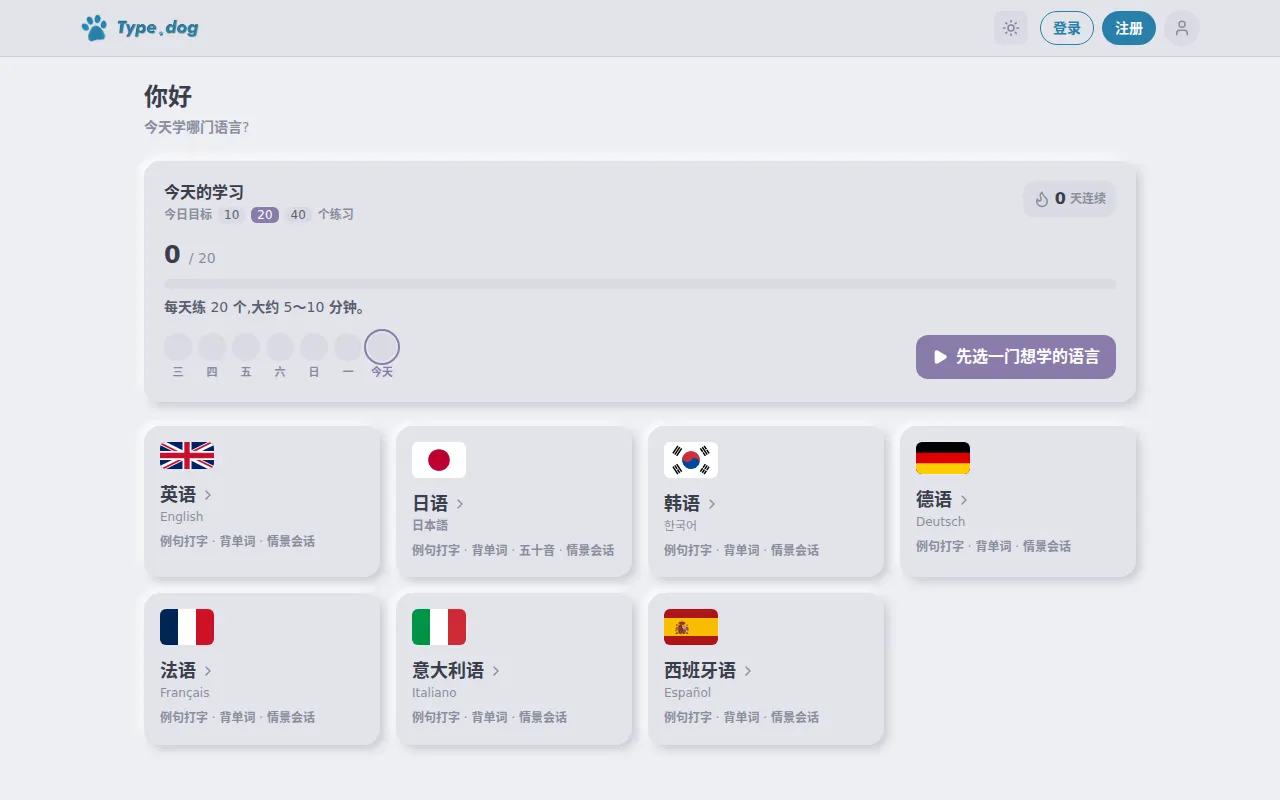
You land on the main home page. Below are 7 language cards: English, Japanese, Korean, German, French, Italian and Spanish, each listing the features available for that language. Click one to open its home page.
| Language | Sentence typing | Vocabulary | Dialogues | Kana |
|---|---|---|---|---|
| English | ✓ (incl. New Concept English 1–4) | ✓ | ✓ | — |
| Japanese | ✓ | ✓ (JLPT N5–N1, 9,000+ words) | ✓ | ✓ |
| Korean | ✓ | ✓ | ✓ | — |
| German | ✓ | ✓ | ✓ | — |
| French | ✓ | ✓ | ✓ | — |
| Italian | ✓ | ✓ | ✓ | — |
| Spanish | ✓ | ✓ | ✓ | — |
Step 3: check “Today’s study” and press the button
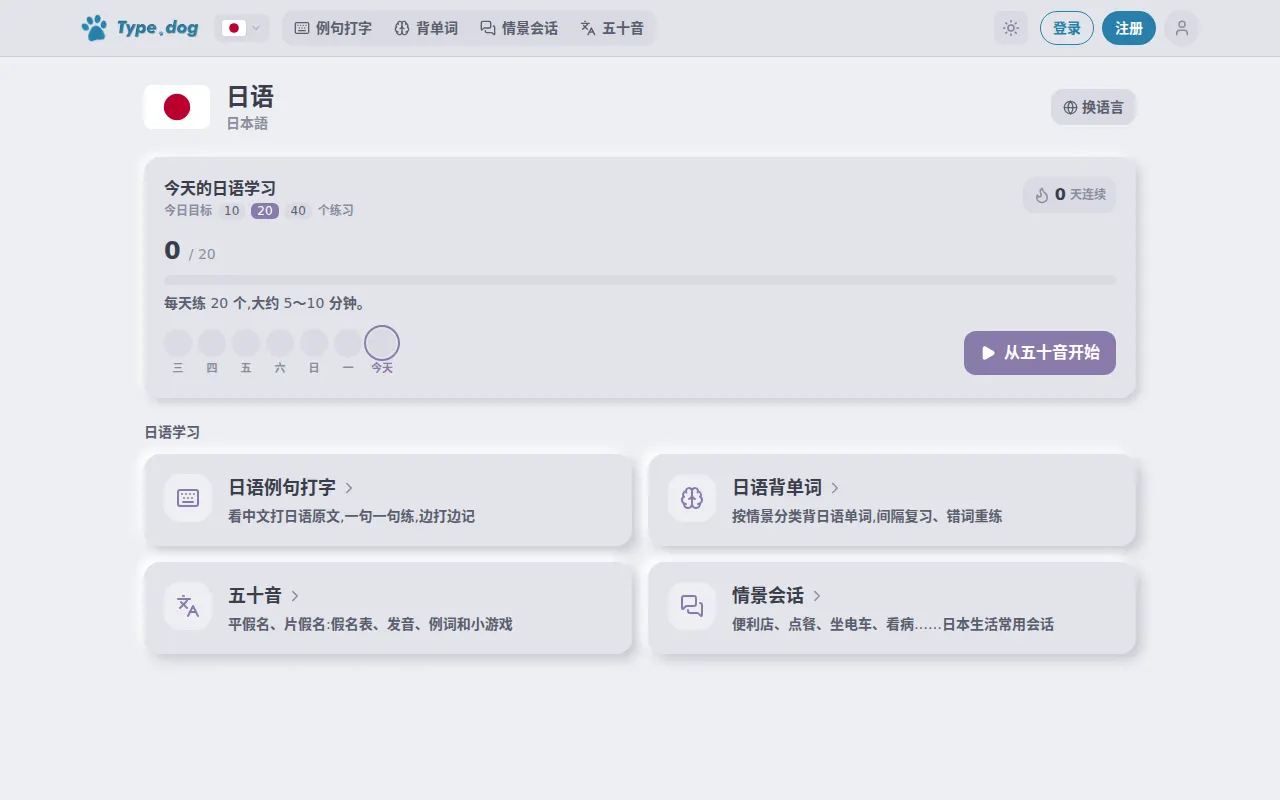
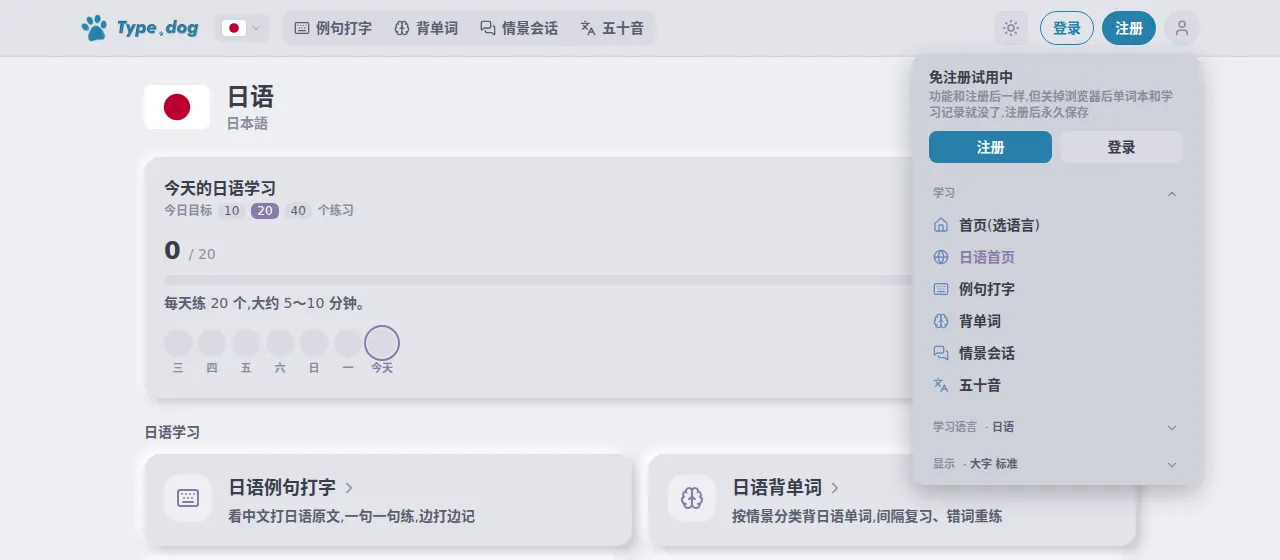
At the top of every language home page is the “Today’s study” card: a daily goal (10, 20 or 40 exercises), how many you have done, your streak, and check-in dots for the last 7 days.
The big button at the bottom right picks what to do today: words that are due for review come first; otherwise you continue the typing lesson you left off; Japanese beginners see “Start with kana”. Not sure what to practice? Just press it.
Switch features or languages any time: the avatar menu
The avatar button at the top right is the site menu: back to home, the four features of this language, switch the language you are learning (7 flags), large text (four sizes, for anyone whose eyes need it), account settings and log out.
The row at the top (“Sentence typing / Vocabulary / Dialogues / Kana”) also switches features, and the flag on the left switches languages.
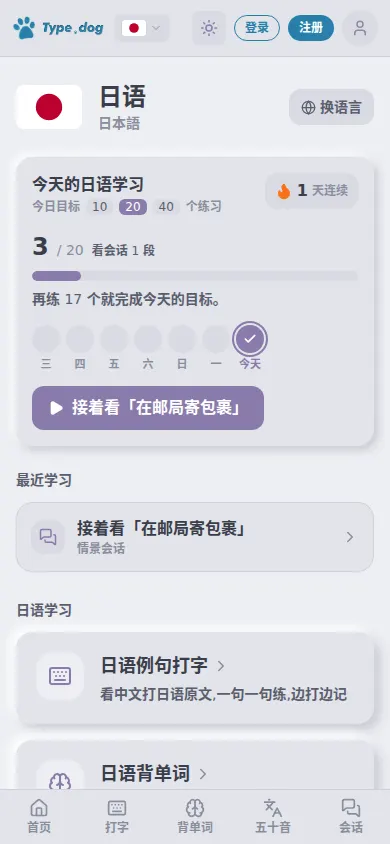
It works on phones too
Just open type.dog in your phone’s browser; the page switches to a mobile layout with a bar of buttons at the bottom. Choose “Add to Home Screen” in the browser menu and it opens like an app.
FAQ
Does Type.dog cost anything?
Type.dog is a non-profit project: every feature is free forever, with no hidden charges. No membership, no paywall, no ads.
Do I have to sign up?
No. Click “Try it without signing up” to use every feature; trial progress disappears when you close the browser. Sign up when you want to continue on another device or keep your words and progress for good.
Do I need to download an app?
No. Type.dog is a web app; open type.dog in any browser on a computer, tablet or phone.
How long should I study each day?
The default is 20 exercises a day, about 5–10 minutes. Choose 10 on busy days and 40 when you have time. What matters is coming back every day; your streak helps you keep going.