
Sentence typing: read the meaning, then type the sentence letter by letter
Sentence typing is Type.dog’s first and most important feature: you see the meaning of a sentence and hear it read aloud, then type the original sentence letter by letter, with every mistake marked on the spot. Eyes, ears and fingers work together, which sticks far better than just reading a book. There are more than 2,300 courses in 7 languages, and all four books of New Concept English are included for English.
- Pick a course and lesson: e.g. New Concept Book 1
- Listen and read the meaning: Read aloud automatically
- Type the sentence: Mistakes marked instantly
- See accuracy and speed: A score for every sentence
- Enter for the next one: Progress saved per lesson
1. Choose a course and a lesson
- On a language home page click “Sentence typing”, or switch to it in the top bar.
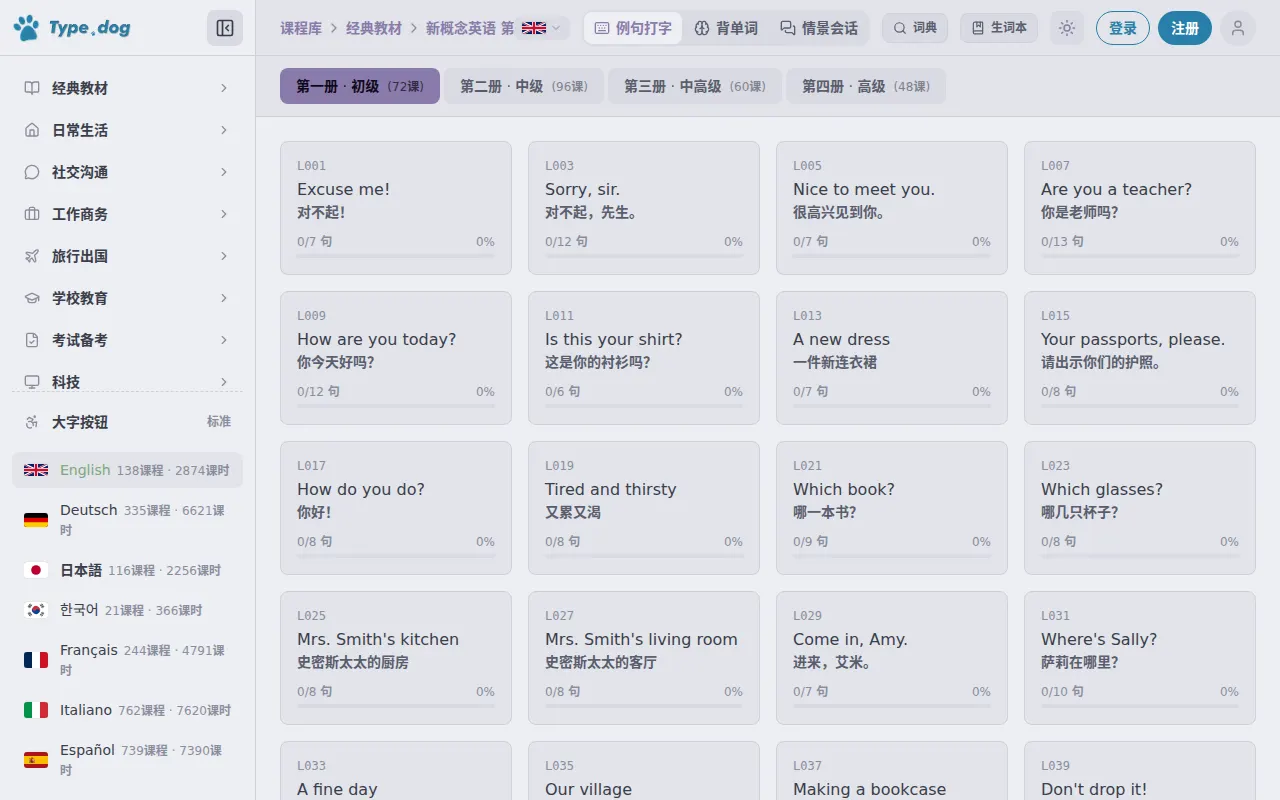
- Course categories are on the left: textbooks, daily life, socializing, work and business, travel, school, exam prep, technology and culture.
- Open a course to see all its lesson cards, each with a title, translation and progress. New Concept English is split into “Book 1 · Beginner” to “Book 4 · Advanced”.
- Click a lesson card to start. Next time, every course remembers where you stopped.
2. The typing screen
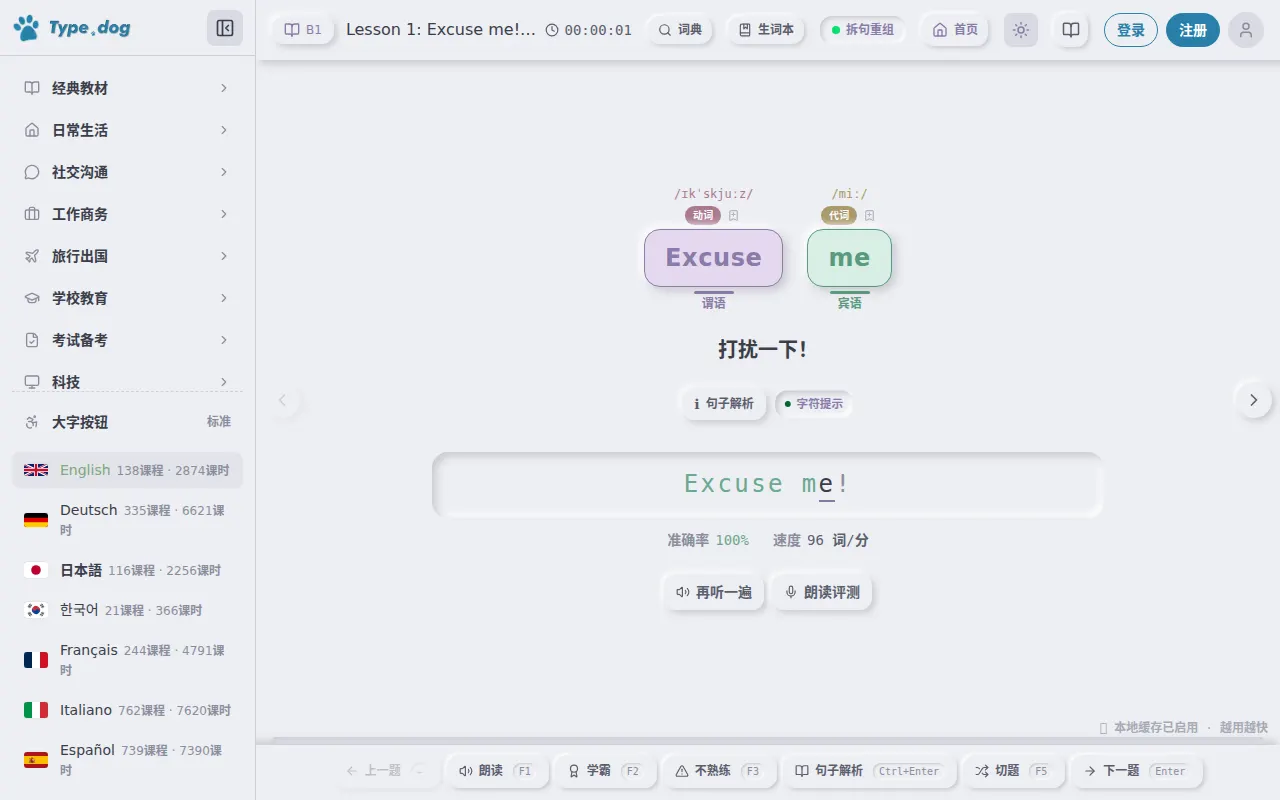
The sentence is read aloud as soon as you open it. In the middle of the screen, each word shows its phonetics and part of speech (noun, verb…) above it, with the translation below.
Type the original sentence in the input box: correct letters turn green and mistakes are marked immediately. After each sentence you see its accuracy and words per minute.
Special letters such as German ü and ß or French é are hard to type? u, v and ue all count as ü, s and ss count as ß, and e counts as é, with a dotted underline showing the correct spelling.
3. Bottom buttons and shortcuts
| Button | Shortcut | What it does |
|---|---|---|
| Previous | ← | Back to the previous sentence |
| Read aloud | F1 | Hear it again |
| Mastered | F2 | You know this one; mark it as mastered |
| Not yet | F3 | Still shaky; mark it for more practice |
| Sentence analysis | Ctrl+Enter | Show each word’s meaning, part of speech and grammatical role in the sentence |
| Skip | F5 | Skip this sentence |
| Next | Enter | Next sentence |
- 💡 Turn on “Rebuild the sentence” at the top and the sentence is split into chunks for you to put back in order — handy for beginners who cannot type the whole sentence yet.
- 💡 “Pronunciation check”: read the sentence into your microphone and AI scores your pronunciation.
- 💡 The “Large text” button on the left enlarges everything in four steps.
FAQ
Is all of New Concept English included?
Yes. All four books are included — 72 lessons in Book 1, 96 in Book 2, 60 in Book 3 and 48 in Book 4 — and every lesson can be typed sentence by sentence.
Can I practice typing in Japanese or Korean too?
Yes. Japanese, Korean, German, French, Italian and Spanish all have sentence typing courses, graded from CEFR A1 to C1.
What happens when I make a mistake?
The wrong letter is marked right away and you continue once it is fixed; the sentence’s accuracy is recorded, and you can press F3 to mark it “Not yet” and come back to it.