
Vocabulary: words grouped by real-life situation, with audio, example sentences and autoplay
Vocabulary (at dict.type.dog, also reachable from the top bar of type.dog) groups words by real-life situation: greetings, the airport, customs, hotels, restaurants, supermarkets, the doctor, work… Learn the words for whatever situation you are about to face. Every word has its reading, meaning and 3 example sentences, and the list can be read aloud continuously; all 9,000+ Japanese words are tagged with their JLPT level, N5 to N1.
- Pick a situation: e.g. “Ordering food”
- Filter by level: Japanese N5–N1
- Open a word: Reading + 3 examples
- Add it to my words: Keep the ones you don’t know
- Review them: On a forgetting curve
1. Choose a situation and a level
At the top of Vocabulary is a row of situation buttons, each showing how many words it has. “My words” are the words you saved; “All” is every word.
Japanese has an extra “Level” row: N5, N4, N3, N2 and N1, each with the matching J.TEST level and word count. Combine it with a situation, for example “Ordering food + N5”.
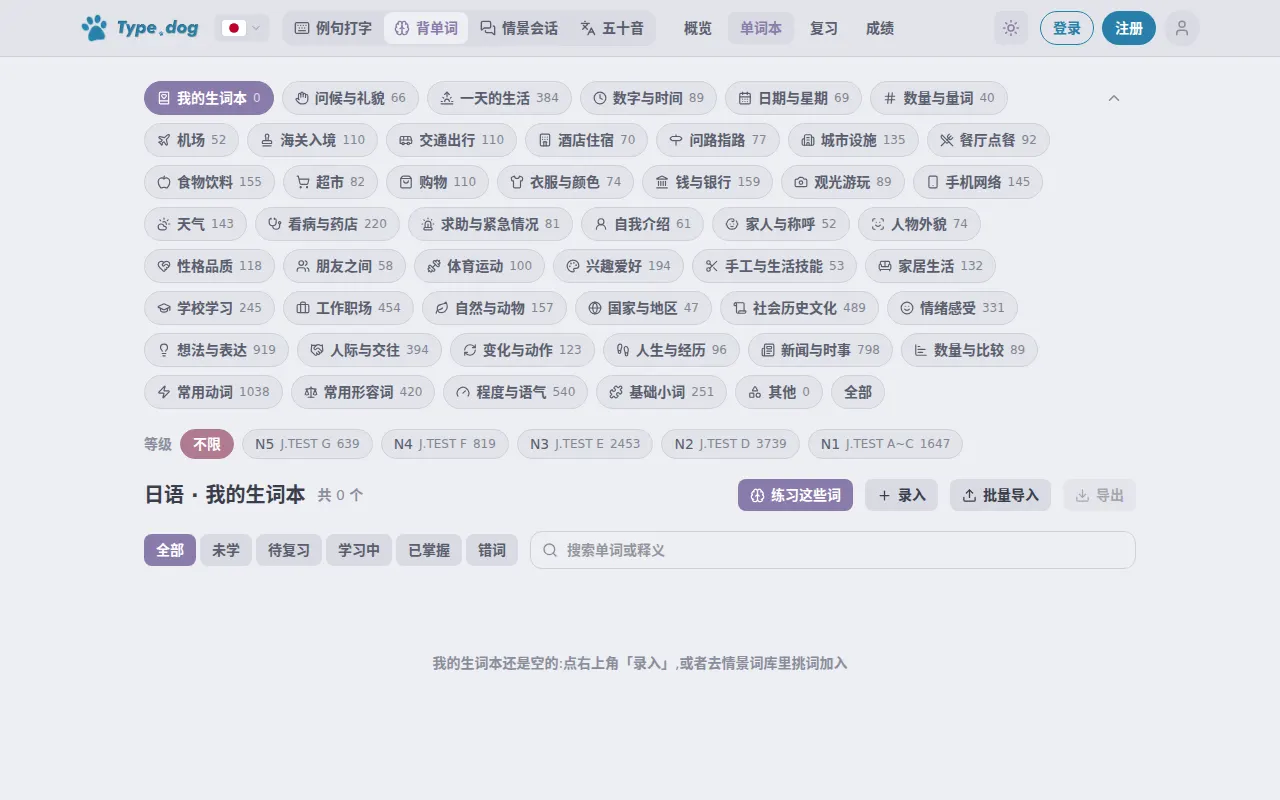
2. The word list and one-click autoplay
Pick a situation and its words are listed below: the word, its reading, meaning and level tag. “+ My words” on the right of each row saves it to your list.
Above the list is autoplay: press it and the words are read one after another, with options for shuffle, loop, read the examples and read the translation. Leave it running on the bus or while cooking.
You can also filter by status: new, due for review, learning, mastered and mistakes.
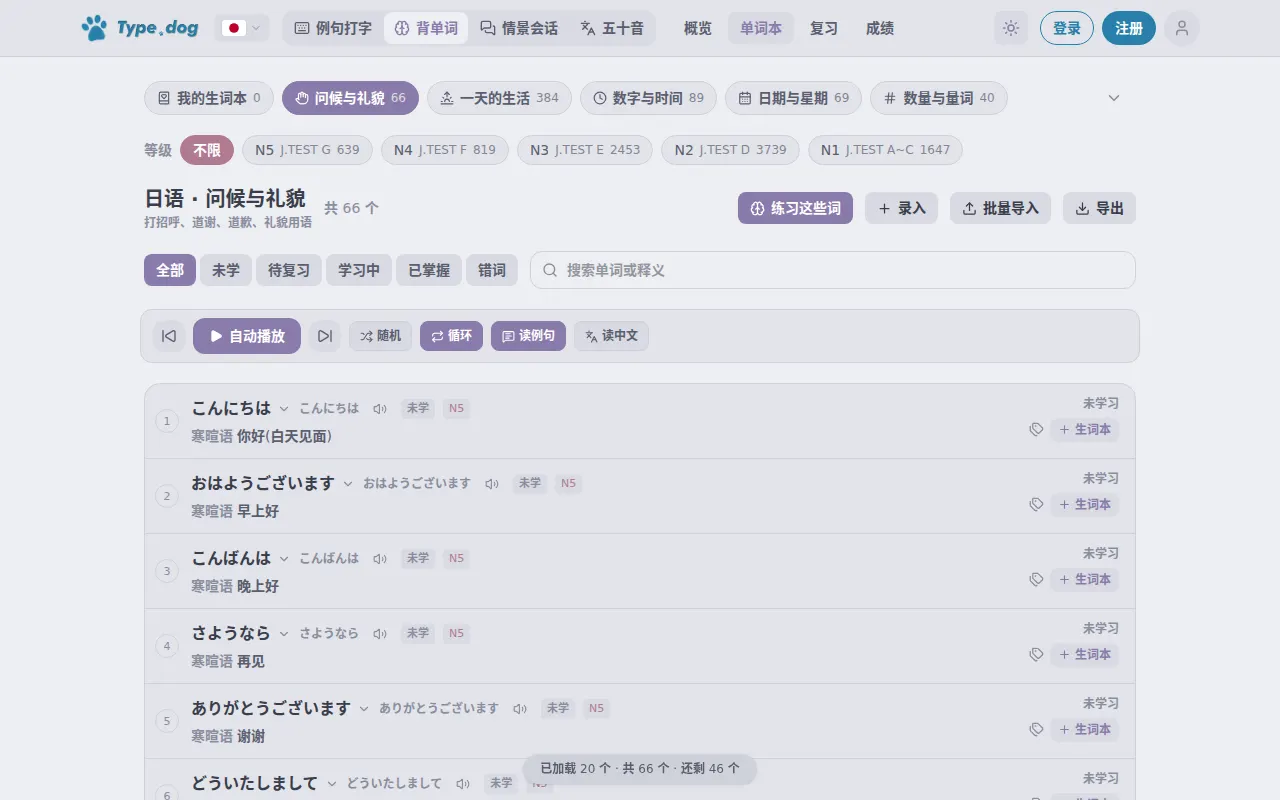
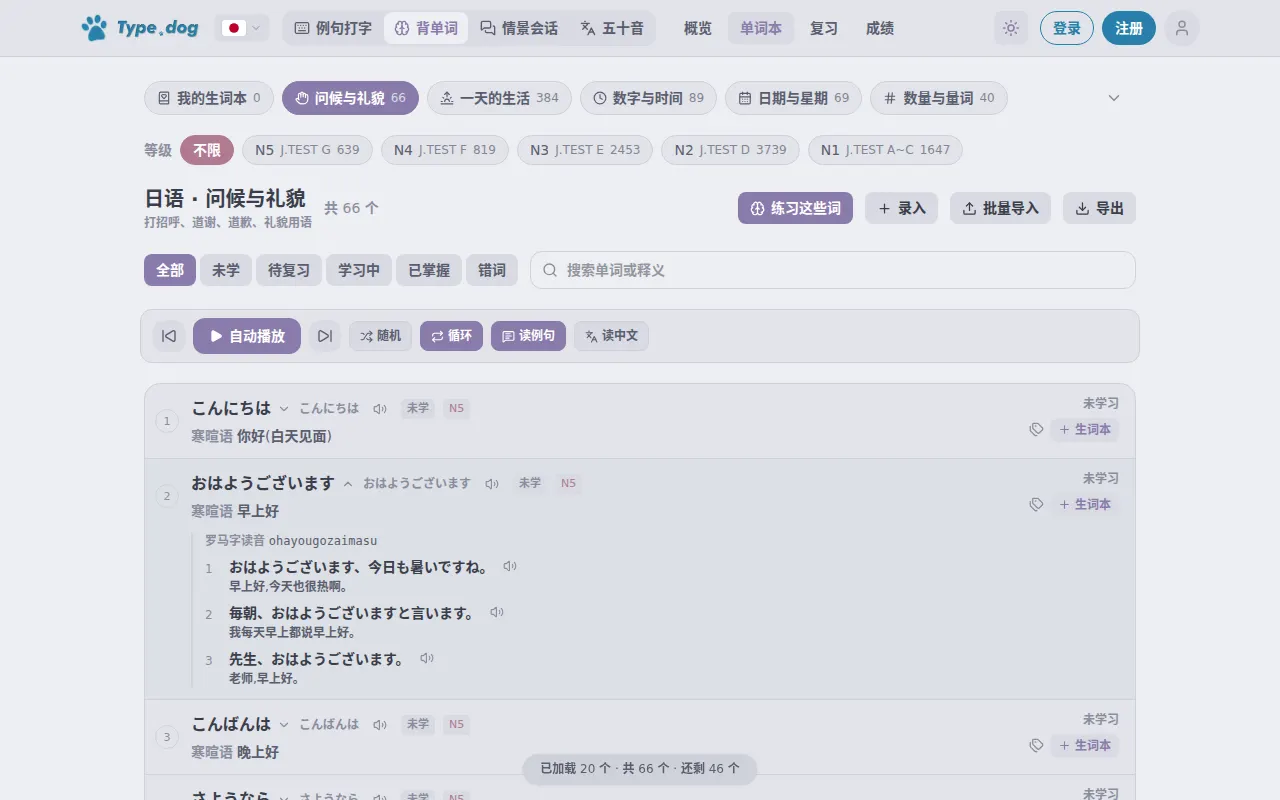
3. Open a word: examples and romaji
Click a row to expand it: 3 real example sentences, each with a translation and a speaker button. Japanese shows the romaji reading here — on purpose not in the list itself, so that you read the kana instead of glancing at the romaji.
4. Add your own words, bulk import, export
- “Add a word”: type a word and press Enter to see its reading and meaning and hear it; press Enter again to save it. Spelling is checked, so misspelled words are not added.
- “Bulk import”: paste a whole list of words at once; meanings are looked up and each word is filed under a suitable situation automatically.
- “Export”: download your word list as a file to keep a copy.
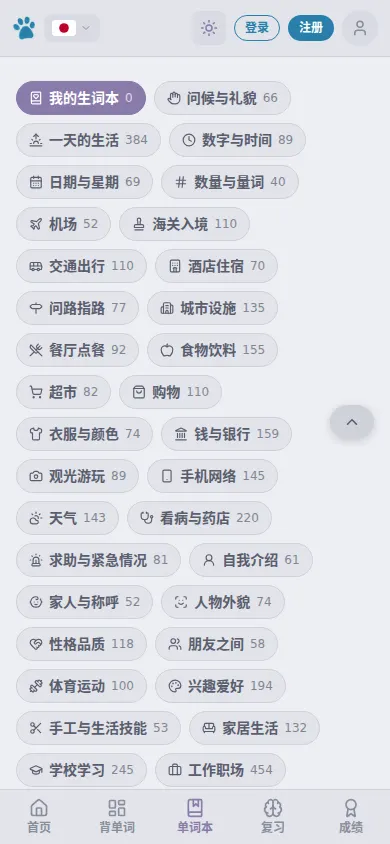
Vocabulary on a phone
There are lots of category buttons on a phone, so the collapse button on the right follows you as you scroll; after you pick a category the list collapses and takes you back to the words.
FAQ
How many words are there?
The built-in word lists for the 7 languages hold more than 17,000 words; Japanese has the most, 9,000+, covering JLPT N5 to N1. Every word has a reading, meaning and 3 example sentences.
How do JLPT and J.TEST levels compare?
Roughly: N5 ≈ J.TEST level G, N4 ≈ F, N3 ≈ E, N2 ≈ D and N1 ≈ A–C.
Can I browse the word lists without logging in?
Yes. The public word lists are at type.dog/vocab and every word has its own page; to save words and review them, click “Try it without signing up” or sign up.