Account, switching devices, large text and dark mode
Once you sign up, your typing progress, saved words, review schedule and streak are stored in the cloud, so you can pick up where you left off on any computer or phone. You can also use everything without signing up (see “Try without signing up”); your progress just isn’t kept long term.
- Try without signing up
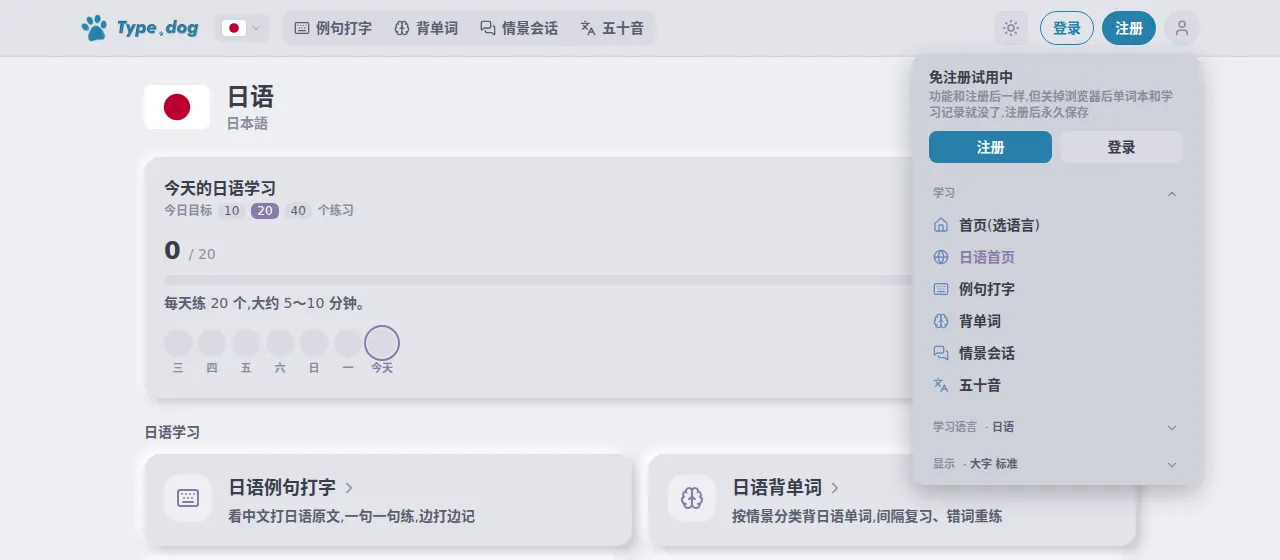
- Click “Sign up”: Email + password
- Log in: “Remember me” for 30 days
- Continue on any device: Progress syncs
Signing up and logging in
- Click “Sign up” at the top right and enter an email and password.
- “Remember me” is ticked by default when you log in, so you stay logged in for 30 days; untick it on a shared computer.
- Forgot your password? Click “Forgot password?” below the log-in form and you will get a reset link by email. Once logged in, you can also change it under “Account settings”.
- Type.dog uses a Microcosm single sign-on account, so the same account also works on other sites in the same family.
Display settings
| Setting | Where | Notes |
|---|---|---|
| Large text | “Display” in the avatar menu, or “Large text” on the left of the typing screen | Four text sizes, for anyone whose eyes need it |
| Dark mode | Sun / moon button at the top | Easier on the eyes at night |
| Switch language | “Language” in the avatar menu, or the flag at the top | Switch between the 7 languages at any time |
FAQ
Will my data be sold?
No. Type.dog is a non-profit project that earns nothing from ads or data, and only keeps the records needed for your learning.
Can I use it like an app on my phone?
Yes. Open type.dog in your phone’s browser and choose “Add to Home Screen” from the browser menu.